Skip to content

The viral Alors on Danse trend

Alors on Danse AI

Free preview · Full video purchased separately · 5–30 seconds

Add a clear photo
Add a clear photo

One well-lit person or pet per photo, facing the camera with the face or muzzle visible. Both dimensions must be at least 240 pixels. Use an original photo rather than a thumbnail.

Checking your video balance…

One-time payment · Generation starts after payment

Uses 11 credits · Deducted upfront, refunded on failure

By creating, you confirm you have permission to use both photos. Terms of Service

Real AI-generated samples

Two photos in, one white-studio duo video out

One person plays the keyboard. Their partner points, claps and reacts. Your two photos take these two roles.

Works with pets

Two cats, your dog and you, or a pet and a family member.

Explore pet duos →
Generated video · Play with sound · Real AI-generated samples
01

Two cats, one keyboard

30 seconds · 720P · Source soundtrack

Orange cat on keys, tuxedo cat stealing the spotlight: an AI duo inspired by the Alors on Danse white-studio meme. Watch the full 30-second video in 720P with the source soundtrack.

Watch this example
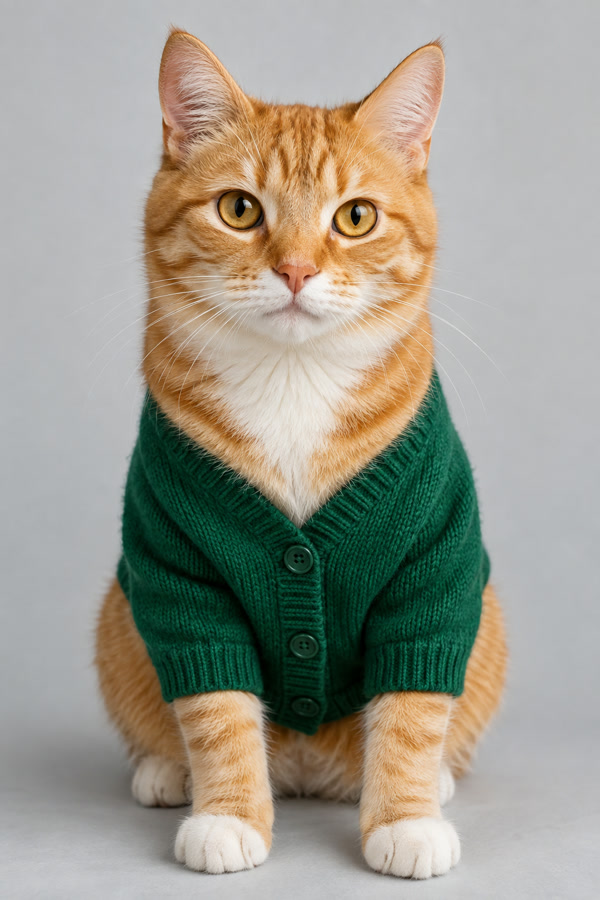
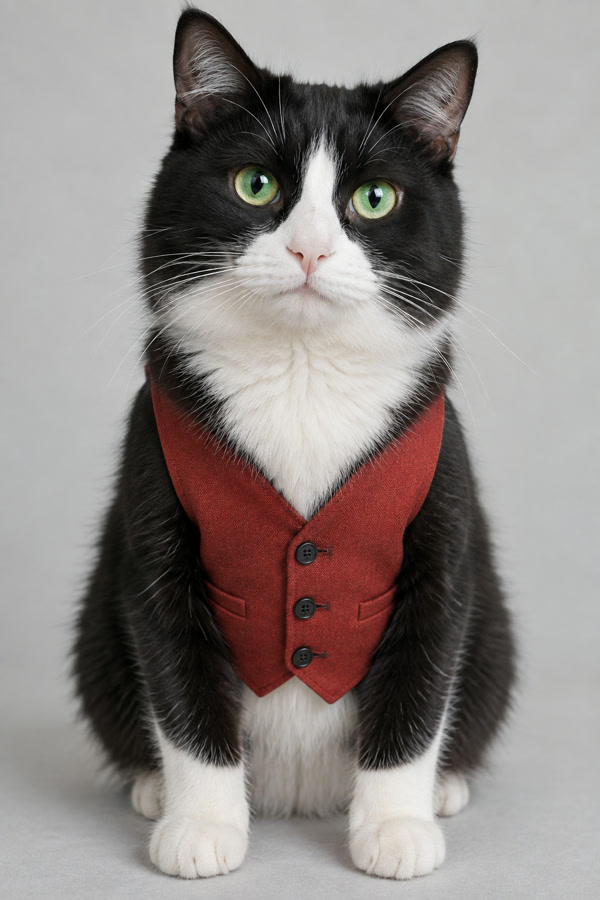
Two cats, one keyboard · Photo 1 · Keyboard player (left)
Photo 1 · Keyboard player (left)
Two cats, one keyboard · Photo 2 · Hype partner (right)
Photo 2 · Hype partner (right)
Generated video · Play with sound · Real AI-generated samples
02

Grandpa on keys, grandma on hype

30 seconds · 720P · Source soundtrack

Grandpa plays the keyboard while grandma coaches, claps and steals the scene in this Alors on Danse AI studio duo. Watch the full 30-second example in 720P with the source soundtrack.

Watch this example

Grandpa on keys, grandma on hype · Photo 1 · Keyboard player (left)
Photo 1 · Keyboard player (left)
Grandpa on keys, grandma on hype · Photo 2 · Hype partner (right)
Photo 2 · Hype partner (right)
Generated video · Play with sound · Real AI-generated samples
03

My dog thinks he made the beat

30 seconds · 720P · Source soundtrack

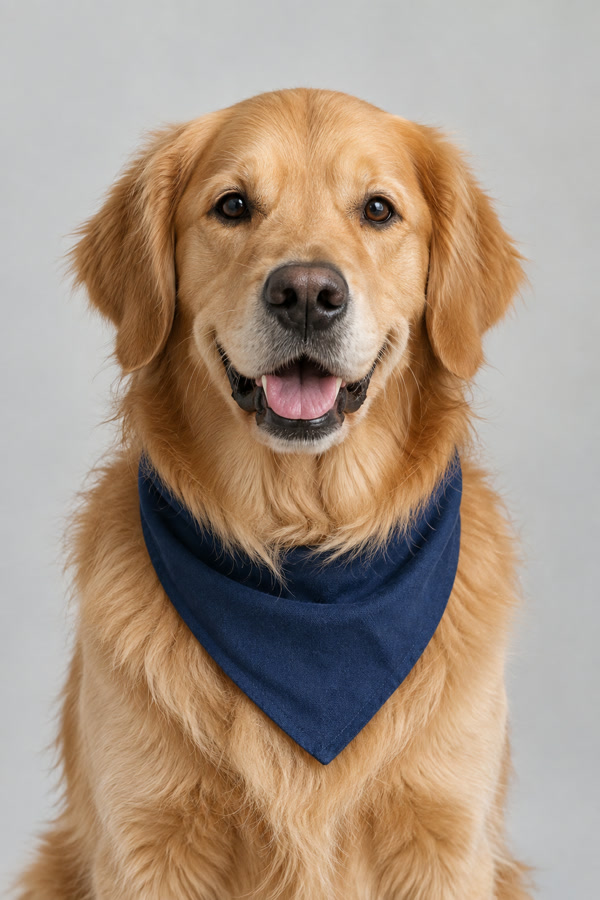
A keyboard player and an expressive golden retriever share the white studio in this Alors on Danse AI example. Watch their 30-second performance in 720P with the source soundtrack.

Watch this example

My dog thinks he made the beat · Photo 1 · Keyboard player (left)
Photo 1 · Keyboard player (left)
My dog thinks he made the beat · Photo 2 · Hype partner (right)
Photo 2 · Hype partner (right)

Photo 1 is the left keyboard player; Photo 2 is the right animated partner. Clear faces help preserve each identity. Preview your result before sharing.

Where does the white-studio clip come from?

The familiar white room, laptop and small keyboard come from Stromae and Jamel Debbouze’s 2010 Made in Jamel comedy sketch. It is a staged comedy scene, rather than the official music video or a candid recording session.

Jamel plays someone who acts as if he is teaching Stromae how to make Alors on danse. Stromae’s restrained keyboard performance gives Jamel’s exaggerated reactions something to bounce off. That relationship is the original joke.

The AI meme puts a new pair into those roles. The recognizable scene and contrasting performances stay central, while the identities change. Knowing the two people makes the same gestures tell a different joke.

Watch the duo format in the examples above

How to preserve the joke in your version

Choose the casting first, then the performance. The appeal comes from the relationship between the two roles, not just two recognizable faces.

01

Cast the calm keyboard player

Photo 1 takes the left-hand keyboard role. Pick someone whose calm or serious persona makes a good contrast with their partner, and use a clear portrait.

02

Cast the animated partner

Photo 2 takes the right-hand reaction role. Think about who would point, clap or pretend to direct the session. Swapping the photo order changes the relationship.

03

Check the comic timing

Use reference mode when the source gestures matter. Preview the interaction, expressions and camera timing; AI can simplify actions, so a recognizable face alone does not guarantee the original joke lands.

Which pairing makes the roles funnier?

Start with a relationship your audience recognizes. Decide who stays composed and who takes over the imaginary studio session.

The quiet friend and the loud friend

Let the reserved friend handle the keyboard while the expressive friend reacts. The scene exaggerates a dynamic the group already knows.

A couple with reversed roles

Put the usually calm partner in the animated role. Reversing expectations can make the familiar setup feel personal.

The birthday guest and the planner

Give the birthday guest the keyboard and let the friend who organizes everything pretend to direct the session.

Two unlikely collaborators

Choose consenting friends whose personalities clash. The joke is seeing them collaborate as though they have always been a musical duo.

Start with one video

Buy one video with a one-time payment. Credit packs and subscriptions are available below.

1 video

$4.99once

Pay once for a full video. No subscription. 10 seconds · 480P · 9:16

20% OFF

3-generation pack

$12.00once

Three generations at your selected settings. Use the remaining credits whenever you like.

Secure checkout by Stripe · Credits valid for 365 days · One-time payment, no subscription or automatic renewal

Or buy credits once

Most popular

Test Pack

$9.90

35 credits · about 2 videos

Reference cost: $4.95 per short video

  • HD video, no watermark
  • Download & post anywhere
  • Credits valid for 365 days
  • Failed renders are free

Plus Pack

Save 16% per video

$29.00

150 credits · at least 7 short videos

Reference cost: $4.14 per short video

  • HD video, no watermark
  • Download & post anywhere
  • Credits valid for 365 days
  • Failed renders are free

Team Pack

Save 43% per video

$99.00

700 credits · at least 35 short videos

Reference cost: $2.83 per short video

  • HD video, no watermark
  • Download & post anywhere
  • Credits valid for 365 days
  • Failed renders are free

Studio Pack

Save 55% per video

$199.00

1,800 credits · at least 90 short videos

Reference cost: $2.21 per short video

  • HD video, no watermark
  • Download & post anywhere
  • Credits valid for 365 days
  • Failed renders are free

Subscribe and save

Credits refresh every month. Cancel anytime.

Most popular

Basic

$29.90 / month

200 credits / month · at least 10 short videos

Reference cost: $2.99 per short video

  • HD video, no watermark
  • Download & post anywhere
  • Credits refresh every month
  • Cancel anytime

Pro

Save 44% per video

$49.90 / month

600 credits / month · at least 30 short videos

Reference cost: $1.66 per short video

  • HD video, no watermark
  • Download & post anywhere
  • Credits refresh every month
  • Cancel anytime
Best value

Studio

Save 58% per video

$99.90 / month

1,600 credits / month · at least 80 short videos

Reference cost: $1.25 per short video

  • HD video, no watermark
  • Download & post anywhere
  • Credits refresh every month
  • Cancel anytime

Subscriptions renew automatically until you cancel.

Annual savings are compared with a year of monthly payments for the same plan. Monthly and pack savings compare per-video costs with their respective entry plans. Video counts are conservative estimates for standard videos (720P, 10 seconds, with source audio). All subscriptions deliver credits monthly; packs arrive in full and last one year.

Video counts and per-video prices are estimates. Check the generator for the actual credits needed.

What a video costs

Credits per video by resolution and length. Both performance modes use the same credits; portrait and landscape cost the same.

What a video costs
Resolution5s10s15s20s25s30s
480P61113172125
720P111725344250
1080P1734506784100

Credits are deducted before generation and returned if it fails.

Choose the performance mode, duration and resolution to see the exact credits before generating. Failed renders are not charged.

Reading the original performance

The details that make this a comedy sketch

The format depends on a sequence of reactions. Watch how each detail sets up the next gesture before judging your version.

A straight face anchors the scene

The keyboard player’s restraint makes the partner’s antics stand out. If both performers become equally animated, the contrast gets weaker.

Gestures carry the interaction

Pointing, clapping and moving toward the camera make the partner look like a self-appointed producer. These actions matter as much as facial likeness.

The soundtrack sets the timing

Reference mode follows the source performance and restores the same clip’s original soundtrack. Silent freestyle is an alternative performance; it may change the gestures and does not preserve the same musical timing.

The white room leaves nowhere to hide

The plain background, laptop and keyboard keep attention on the performers. A busy scene can distract from small expressions and hand movements.

The camera becomes part of the joke

Approaching the lens and reacting to the other performer interrupt the calm setup. Check whether those changes survive in your chosen excerpt.

Casting adds a second layer

The original joke is about someone claiming credit for the song. A familiar pair adds another joke about who leads, who follows and who thinks they are in charge.

Questions about the original clip and the AI meme

The source, the roles and the difference between recognizing a face and preserving the comedy.

Is the white-studio clip the official music video?

No. The clip used for this meme comes from a 2010 Made in Jamel comedy sketch with Stromae and Jamel Debbouze. Its premise is Jamel pretending to be behind the creation of Alors on danse.

What does AI change in the sketch?

The two supplied portraits become the performers’ identities. Reference-guided generation uses the source performance as a guide for movement and interaction, but expressions and actions can vary in the result.

Why are there a keyboard player and a reaction partner?

They have different comic jobs: the left performer anchors the scene at the keyboard, while the right performer acts like an enthusiastic instructor or producer. Their contrast makes the interaction recognizable.

Why can a video look right but feel less funny?

The joke depends on gestures, reactions and timing as well as faces. If pointing becomes a generic dance or a camera approach disappears, the scene may retain its look while losing part of its punchline.

Does the order of the two portraits matter?

Yes. Photo 1 is the keyboard player on the left; Photo 2 is the animated partner on the right. Choose that order according to the relationship you want the audience to see.

What language is the song in?

The supplied Alors on Danse reference soundtrack is in French. Silent freestyle has no lyrics or audio.

Does every excerpt contain the same comic actions?

No. Different parts of the source contain different gestures and reactions. A short excerpt cannot include every beat of the sketch, and AI may also simplify individual actions.

Can I post my Alors on Danse AI video on TikTok or Instagram?

The original soundtrack remains copyrighted. Downloading a video does not include a music license; check the platform’s music rules before publishing.

Is reference mode the same as silent freestyle?

No. Reference mode is guided by the source performance and uses the original soundtrack from that excerpt. Freestyle creates a silent alternative performance, so the choreography and comic timing may differ.

Can I use photos of other people?

Only with their permission. Use photos of yourself and of people who agreed to be in the video. Don’t use photos of minors without a guardian’s consent, and don’t impersonate celebrities or make videos meant to deceive or harass anyone.

Do credits expire, and is there a subscription?

One-time packs provide credits valid for 365 days and do not renew. Monthly and yearly subscriptions deliver credits each month and renew automatically on their billing cycle until canceled. You can cancel in Billing.

Why does the same scene work with different pairs?

The setup gives each performer a clear role. Changing the pair changes how viewers read the power struggle, the reactions and the pretend collaboration, even when the setting stays familiar.

Choose who plays it cool and who steals the scene

Try a pair your friends will recognize. Preview how the two roles interact before deciding whether your version captures the joke.