
Upload one photo
A clear, front-facing photo of the person or pet who should lead the party.
Create a Burning Bridges party video with Alors on Danse AI. Upload a person or pet to take the host’s place in Drake’s chandelier party, ending with the hand-over-eyes scan.
One well-lit person or pet, facing the camera with the face clearly visible. Use a photo of yourself or of someone who agreed to it, at least 240 pixels on each side.
Checking your video balance…
One-time payment · Generation starts after payment
Uses 11 credits · Deducted upfront, refunded on failure
By creating, you confirm you have permission to use this photo. Terms of Service
Both clips were made with this generator from a single photo. Results vary from photo to photo.
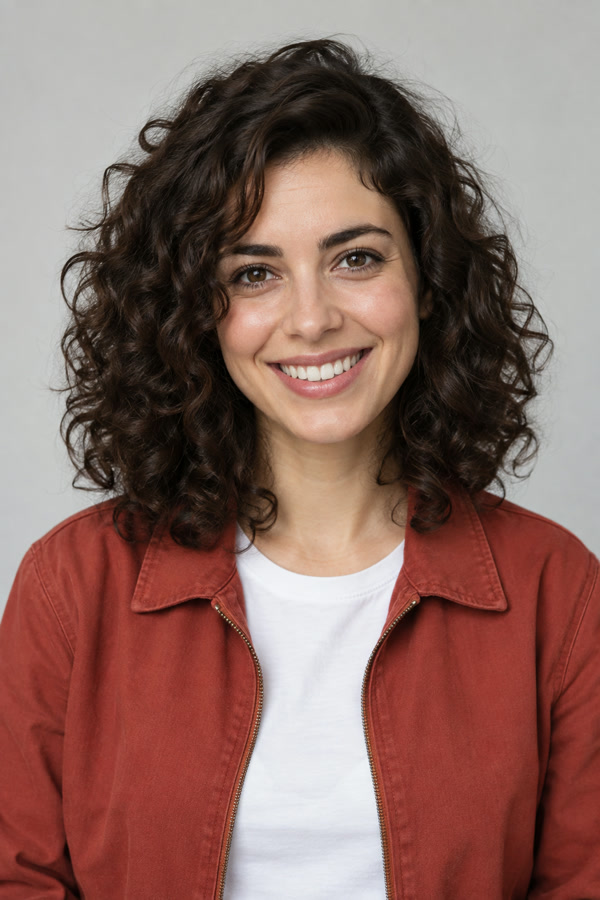 From one portrait photo · 10 s · 480p
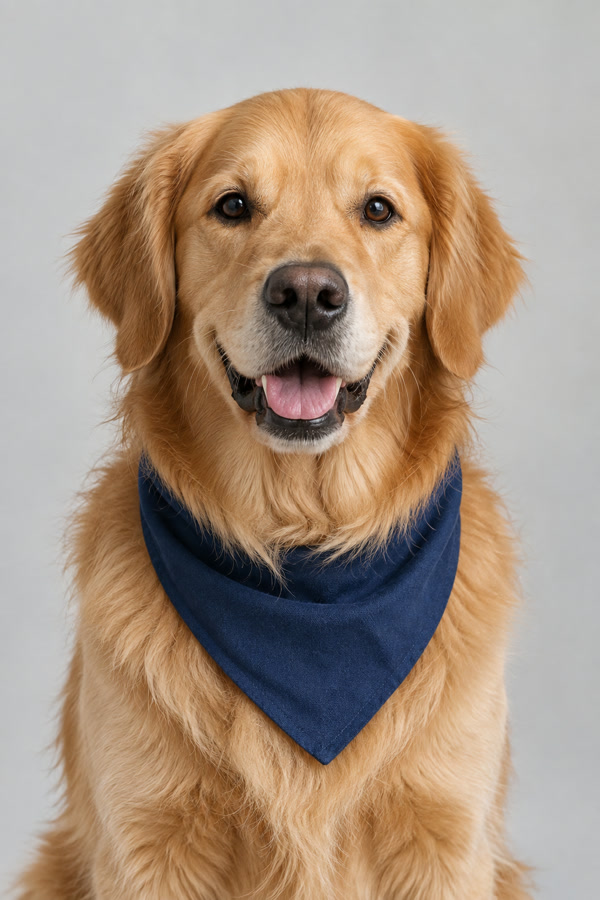 From one photo of a golden retriever · 10 s · 720p
Burning Bridges AI — also called the Drake AI party video or the “Where She At” AI trend — is a short-video trend in which people use AI to put themselves, a friend or a character in Drake's place in the party scene of his Burning Bridges music video.
The scene is a single handheld shot in a dark, wood-panelled private dining room lit by crystal chandeliers. Drake walks through a packed crowd with a silver cup, plays to the camera, points at his friends and finally holds a hand flat over his eyes to scan the room. Because the camera path and the gestures are so recognizable, the clip works as a template: change the face and everyone still knows the moment.
Sources: Official video on YouTube · Song facts (Wikipedia) · The Source on the AI trend
The hand-over-the-eyes scan is known in the trend as the “where she at” move: Drake shades his eyes and looks around the room as if searching for someone who is missing. The song takes aim at A$AP Rocky and his relationship with Rihanna, and many viewers read the gesture as part of that jab. Every video you make here ends on this move, followed by the wave.
Our generator follows the original 30-second party excerpt beat by beat: same handheld camera path, same timing and same crowd reactions. Only the host changes.
| Length | What is included |
|---|---|
| 10 seconds | The finale: pointing at the crowd, laughing at the lens, the hand-over-eyes scan and the wave. |
| 20 seconds | Raising the cup to the lens, the bounce and hand-on-chest pose, then the full finale. |
| 30 seconds | The whole party excerpt, from the walk-in to the wave. |
A clear, front-facing photo of the person or pet who should lead the party.
Pick 10, 20 or 30 seconds, portrait for TikTok and Reels or landscape for YouTube, and the quality.
The AI recreates the scene with your photo, then adds the matching section of the original audio.
Save the MP4 and share it. Label it as AI-generated when you post, as most platforms ask.
There are three common routes. Pick the one that fits how much time you want to spend.
Add the Burning Bridges sound in TikTok or Reels, film yourself and shade your eyes to scan the room on the “where she at” line. No AI and no cost, but no chandelier party either.
Image-to-video tools such as Kling or Higgsfield can attempt the scene from a photo and a written prompt, often with free starter credits. Without the original clip as a motion reference, the camera path and timing usually take several retries, and you add the song yourself.
Uses the original 30-second party excerpt as the motion reference, so the camera, beats and crowd stay in sync, and adds the matching audio. New accounts get welcome credits for a preview; the full video is a one-time purchase.
The scene is dark and lit by chandeliers, and the host comes very close to the camera, so the face in your photo matters more than the outfit.
Look at the camera with no sunglasses, mask or hand in front of the face. Close-ups in the clip expose every detail.
Daylight or soft indoor light works best. Avoid strong shadows, colored party lights and heavy filters.
Crop out other people. The host keeps the outfit from your photo, so a half-body shot that shows your clothes looks best.
Answers about the trend, the generator and what you can upload.
The 2026 trend uses AI to replace Drake in the chandelier party scene of his Burning Bridges music video. This generator by Alors on Danse AI creates a personalized party video from one photo.
It is the name people give the hand-over-the-eyes scan, Drake looking around the room as if searching for someone. Every Burning Bridges AI video made here ends with it.
From the official music video for "Burning Bridges", a song on Drake's album Iceman released on May 15, 2026. The party scene runs from about 2:28 to 2:58.
One. The person or pet in your photo becomes the host; the crowd and the room stay as in the original.
No. One photo is enough; the room, the camera movement and the crowd come from the original scene.
Sign up for welcome credits to try a preview here; the full video is a one-time purchase from US$4.99. The completely free way is to film yourself doing the hand-over-eyes move with the Burning Bridges sound in TikTok.
Most clips come from one-photo generators like this one or from image-to-video tools such as Kling and Higgsfield. CapCut is often used afterwards to trim the clip and add the sound.
There is no official CapCut template; CapCut is the editing step, not the AI step. A written prompt alone rarely reproduces the exact camera path. This generator follows the original clip, so you do not need a prompt — just one photo.
Upload your video, tap Add sound, search for “Burning Bridges” and pick the sound most trend posts use. Then turn the clip's original volume down so the two do not overlap. Using the platform sound also links your post to the trend page.
Yes. Each video gets the section of the original audio that matches its length. If you would rather use the platform's own sound when posting, you can mute the clip in the TikTok or Instagram editor.
10, 20 or 30 seconds. Every length ends with the hand-over-eyes scan and the wave; longer videos start earlier in the scene, and 30 seconds starts with the walk-in.
Most videos are ready in a few minutes. Longer and higher-resolution videos take longer, so keep the page open until yours finishes.
Your own, a friend's with their permission, or your pet's. Do not upload photos of celebrities or of anyone who has not agreed to it.
No. Alors on Danse AI is an independent fan tool and is not affiliated with, endorsed by or connected to Drake, OVO Sound or Republic Records.
Upload one photo and get your Burning Bridges AI video with the original audio.
Make my Burning Bridges video